Erste Schritte als Vorsitz
Zugriff auf dein Gremium
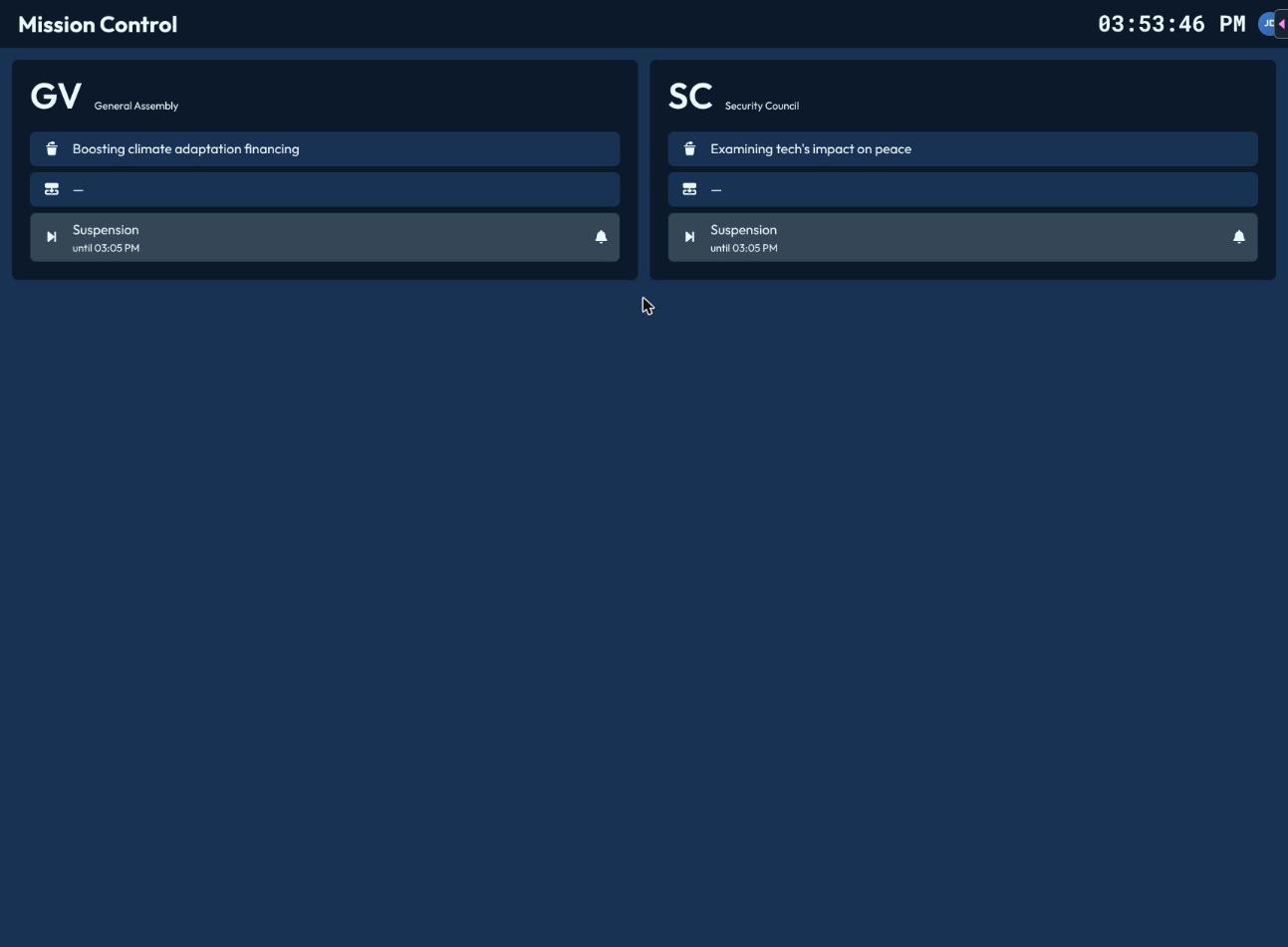
Öffne deine Konferenz über den Launcher. Wenn du mehr als ein Gremium leitest, landest du zunächst auf einer kurzen Übersicht mit allen deinen Gremien — jeweils mit Tagesordnungspunkt, aktivem Redner (falls vorhanden) und Status. Klicke auf ein Gremium, um dessen Vorsitzoberfläche zu öffnen.
Navigation
Jede Vorsitzseite ist über ein Tastenkürzel erreichbar:
| Seite | Tastenkürzel |
|---|---|
| Setup | Alt+1 |
| Anwesenheit | Alt+2 |
| Redeliste | Alt+3 |
| Abstimmung | Alt+4 |
| Resolutionen | Alt+5 |
Hat dein Gremium gerade einen Resolutionsentwurf aktiv, erscheint zusätzlich ein Eintrag „Aktuell Aktiv“. Fahre mit der Maus über einen Eintrag, um sein Tastenkürzel zu sehen. Hast du Zugriff auf mehrere Gremien, kannst du im Avatar-Menü zwischen ihnen wechseln.
Globale Tastenkürzel
Zwei Dinge sind von jeder Vorsitzseite aus erreichbar, ohne die Seite zu wechseln:
- Alt+P — öffnet (oder fokussiert) das Präsentationsfenster, den geteilten Bildschirm für den Projektor im Raum.
- Alt+S — öffnet den Status-Wechsler.
- Alt+D — öffnet den Debattenstand-Wechsler.
Automatische Hinweise
CHASE behält dein Gremium für dich im Blick und zeigt dir Toasts, wenn etwas Aufmerksamkeit braucht:
- Wenn ein von dir gesetzter Status mit Dauer (z. B. „10-minütige Sitzung“) abläuft.
- Wenn eine Redeliste oder Liste für Fragen und Kurzbemerkungen in die Überziehung läuft.
Deine erste Sitzung, der Reihe nach
- Gremien-Setup — prüfe deine Einstellungen, bevor der Raum sich füllt.
- Anwesenheitsfeststellung & Anwesenheit — stelle fest, wer anwesend ist, und ermittle das Quorum.
- Tagesordnung & Debattenstand — lege fest, worüber gerade diskutiert wird und welchen Status das Gremium hat.
- Die Redeliste führen — eröffne die Debatte.
- Abstimmungen durchführen — immer wenn das Gremium eine Entscheidung treffen muss.
- Resolutionen verwalten — wenn dein Gremium Resolutionen erarbeitet und verabschiedet.