Running Votes
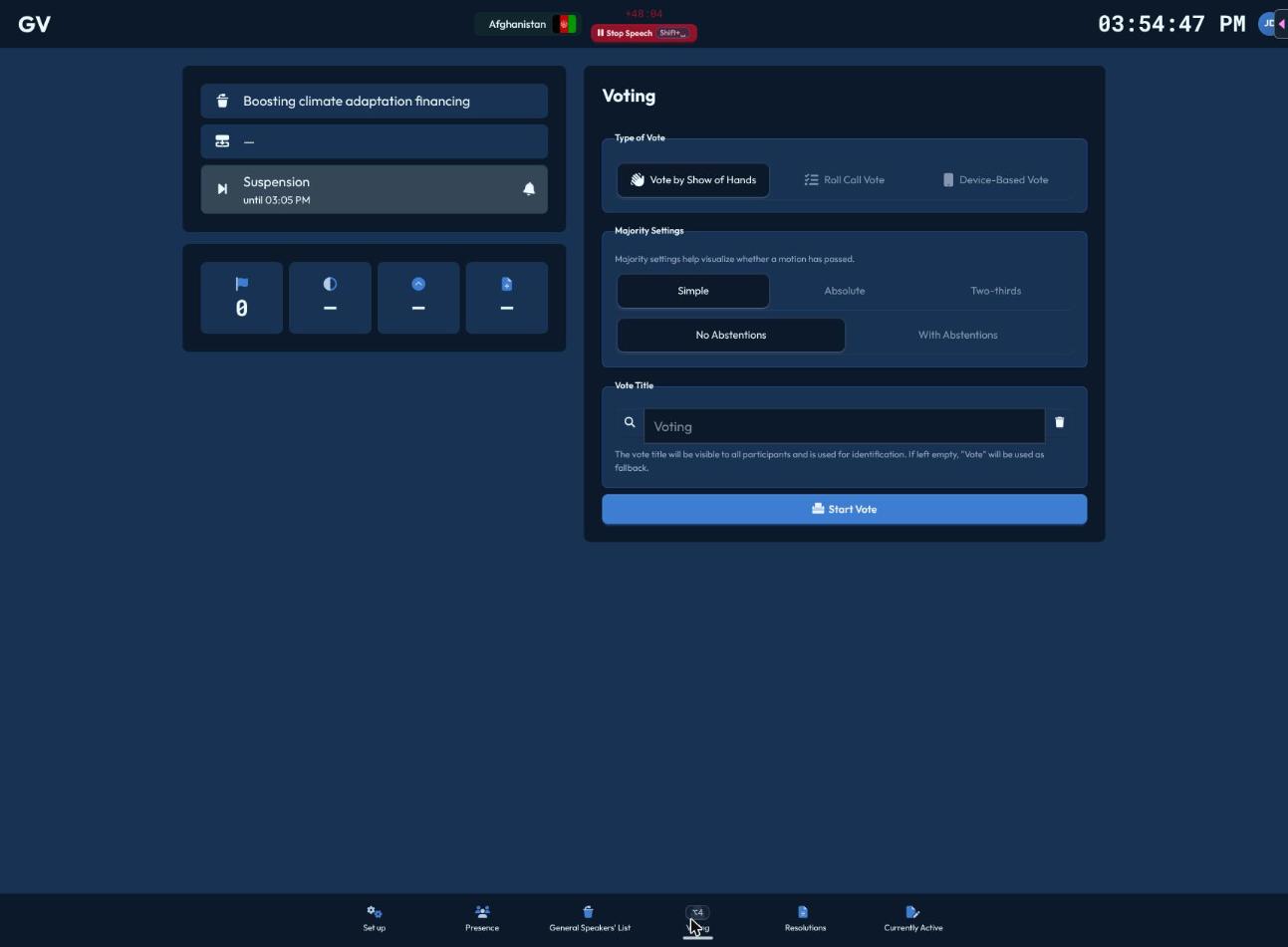
The Voting page (Alt+4) is where you set up and run any vote. If a vote is already active — maybe started from another device — you'll see a "Vote in progress" warning with a "Resume Vote" button that reopens it with its original settings.
Setting up a vote
- Type of Voting — choose Vote by Show of Hands, Roll Call Vote, or Device-Based Vote (hidden if your conference doesn't support multi-device voting, e.g. the offline demo).
- Majority — Simple, Absolute, or Two-Thirds, plus whether abstentions are allowed.
- For a device-based vote only: set the Voting Window in seconds (5–300, default 20) — how long delegates get to cast their vote from their own device.
- Vote Title — pick a preset or type your own; shown to everyone, defaults to "Vote" if left blank.
- Click Start Vote.
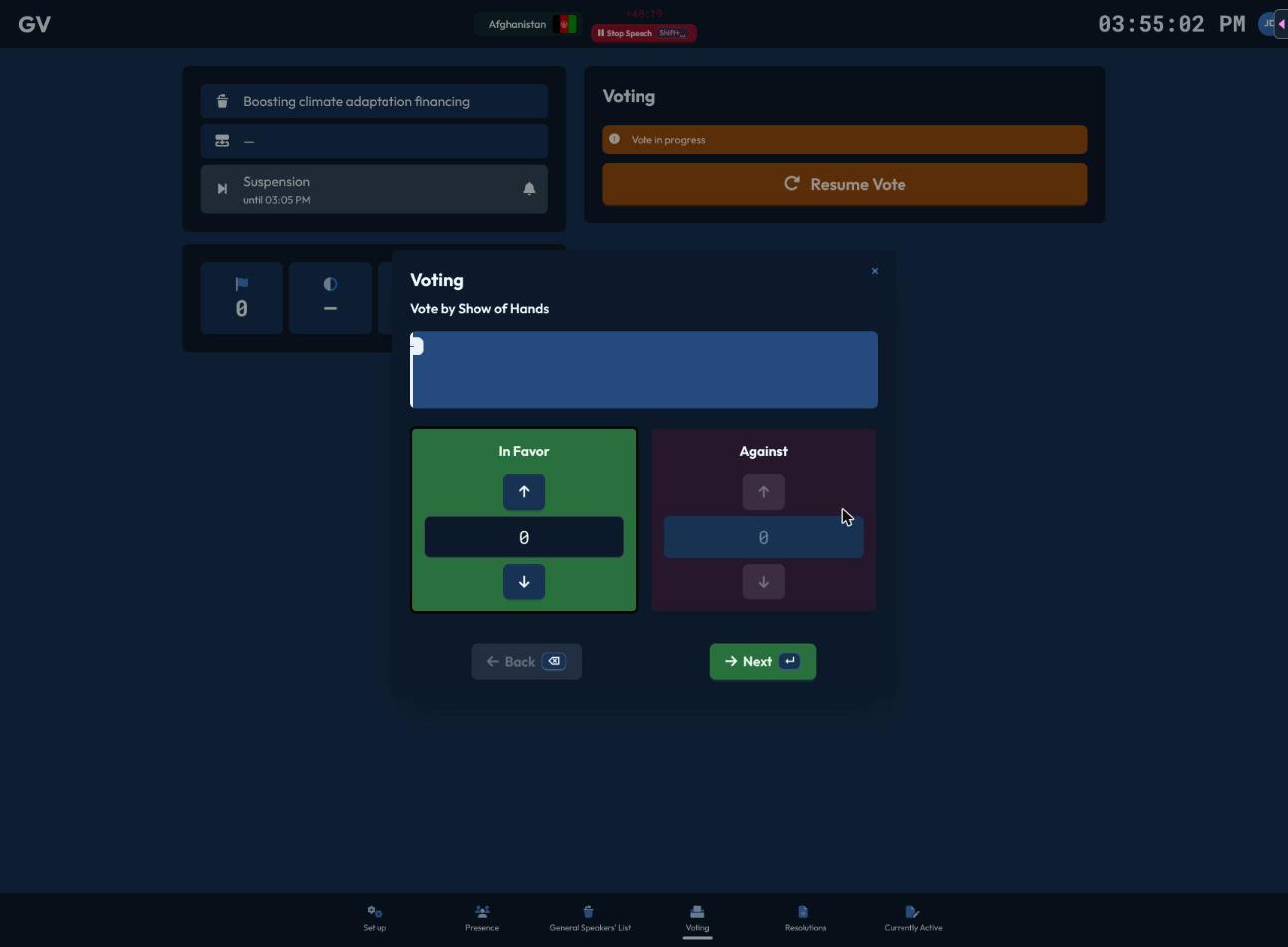
Show of hands
Steps through In Favor → Against → (Abstain, if enabled) → Evaluation. At each stage, click (or press Space/↑) to tally votes as you count raised placards; a progress bar compares your count to the number of delegates present, warning you if you've counted more votes than there are people, or confirming a match. Forward advances a stage, becoming Publish on the last tally and then Close once you're done.
Roll call vote
The same one-at-a-time delegation walkthrough as attendance roll call, but recording a vote instead: Con (J), Abstain (K, if allowed), Pro (L) — each choice auto-advances to the next delegation. A live result chart updates as you go; after the last delegation you land on an Evaluation screen with Close.
Device-based vote
You don't cast anything here — delegates vote from their own device, which pops up automatically for them. Your screen shows a live countdown, a list of who hasn't voted yet, and (once the countdown ends) the revealed result with a Close button. There's no way to end it early — the countdown is the only path to results, which stay hidden while voting is in progress.
Reading results
Whichever method you use, the outcome (Adopted / Rejected) is determined automatically against the majority threshold you set, calculated from delegates currently marked present.