Running the Speakers List
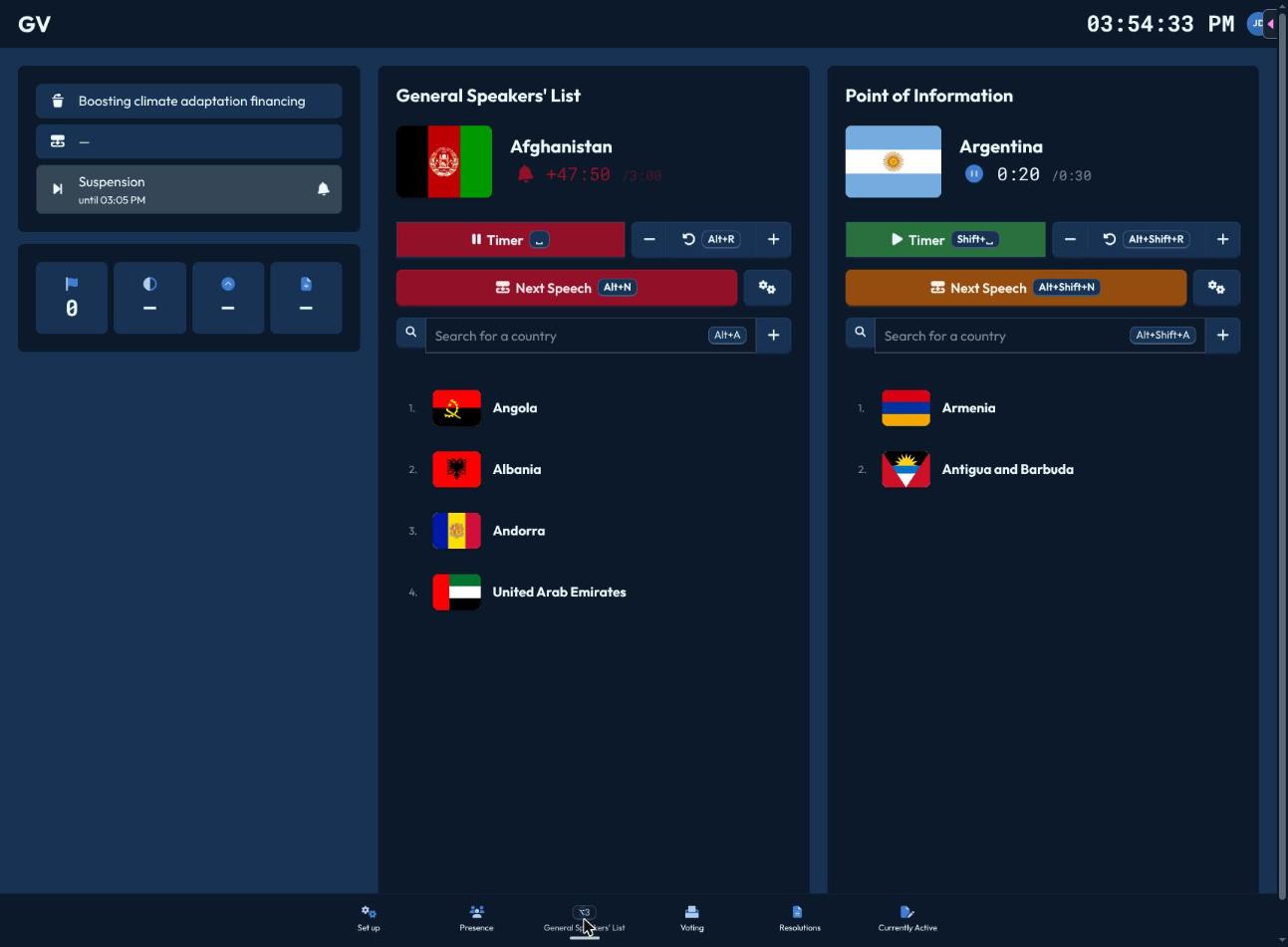
The Speakers List page (Alt+3) shows the General Speakers' List and a Point of Information queue, each with identical controls.
Adding speakers
Click Add Speakers (Alt+A for the main list, Alt+Shift+A for Points of Information) to search delegations, NSAs, or UN actors by name — anyone not currently marked present is greyed out. Pick one to add them to the bottom of the queue.
Running the timer
- The big Timer button (Space / Shift+Space) starts and pauses the countdown for the current speaker.
- Nudge the time up or down in 10-second steps.
- Reset (Alt+R / Alt+Shift+R) puts the time back to the list's configured speaking time.
Starting the main list's timer automatically syncs with the Point of Information list's timer, so the two never run against each other.
Advancing the queue
Next Speech (Alt+N / Alt+Shift+N) removes the current speaker and moves to the next one, resetting the timer. If there are still Points of Information queued for the current speaker, CHASE warns you first — "All remaining Points of Information will be discarded" — since advancing clears them.
Overtime
Once a speaker's time hits zero, the list flashes a "Speaking time over!" alert so you know to wrap them up.
More options
The gears icon opens:
- Lock/Unlock — close the list to new self-adds without removing anyone already queued.
- Change Name — override how the current speaker's name is displayed.
- Change Speaking Time — override this list's default speaking time just for now.
- Clear List — wipe every queued speaker (asks for confirmation first).