Zum Hauptinhalt springen

Conference Setup

AI-Generated Content

This documentation page was initially generated by AI to bootstrap the documentation structure. Content may be incomplete or contain inaccuracies. We welcome contributions to improve it.

This guide covers all aspects of configuring your conference in CHASE.

Conference Settings

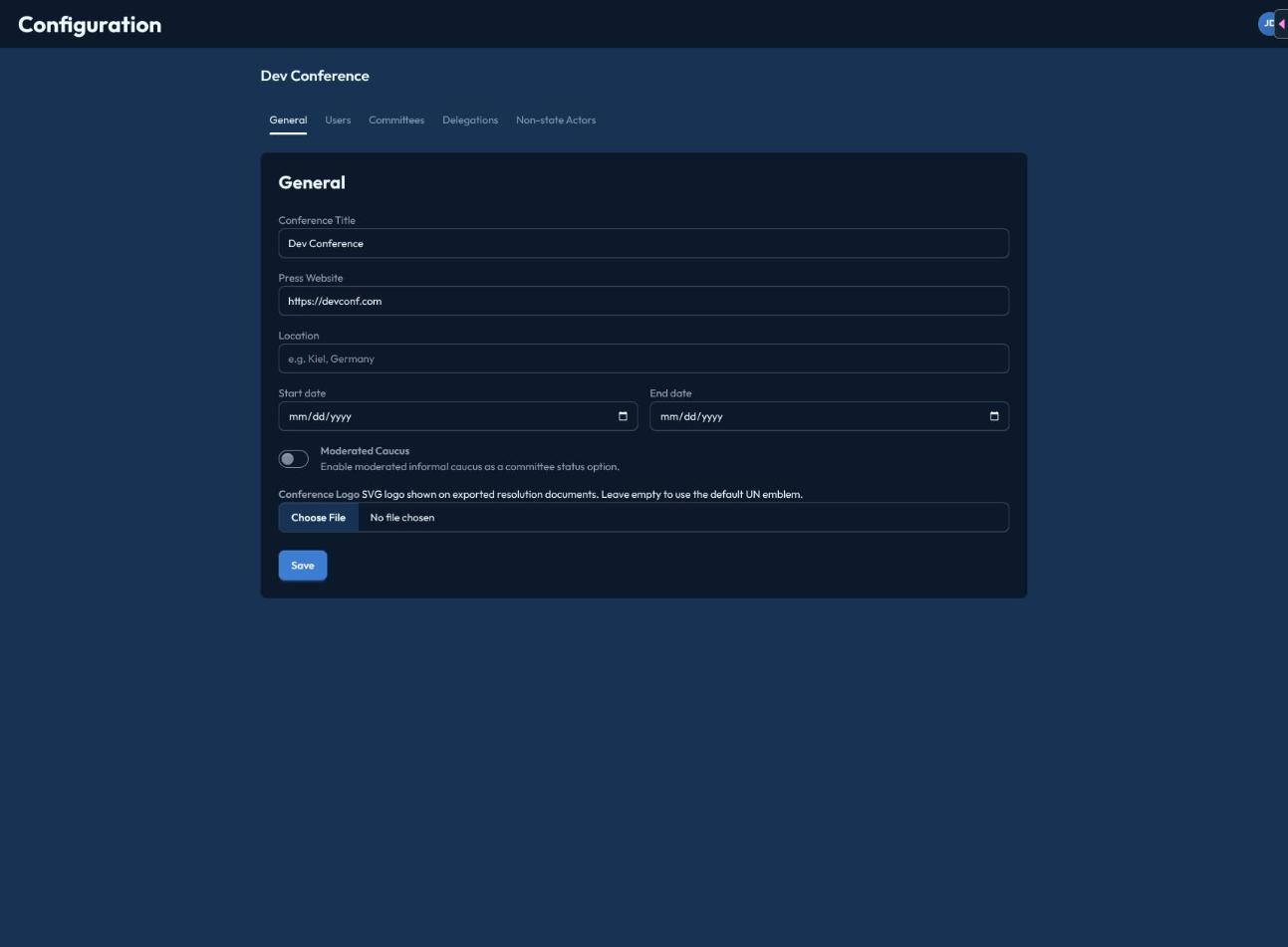
Basic Information

Navigate to Admin > Conference Settings to configure:

  • Conference Name - Official name of your conference
  • Dates - Start and end dates
  • Timezone - Default timezone for schedules
  • Logo - Upload your conference logo

Authentication

Configure how users log in:

  • OIDC Provider - Connect to your identity provider
  • Session Duration - How long users stay logged in
  • Access Restrictions - IP or domain restrictions

Committee Configuration

Committee Types

CHASE supports various committee types:

TypeDescription
General AssemblyLarge committees with all delegations
Security CouncilSmall, veto-enabled committee
SpecializedTopic-specific committees
CrisisDynamic committees with crisis elements
ICJ/ICCCourt-style committees

Committee Settings

For each committee, configure:

  • Name and Abbreviation
  • Topics - One or more agenda items
  • Delegations - Which countries participate
  • Chairs - Assigned chair accounts
  • Rules of Procedure - Voting rules, speaking times

Delegation Assignment

To assign delegations to committees:

  1. Open the committee settings
  2. Go to the "Delegations" tab
  3. Select from available delegations
  4. Set any special permissions

Scheduling

Session Schedule

Create a schedule for your conference:

  1. Go to Admin > Schedule
  2. Add session blocks
  3. Assign committees to time slots
  4. Sessions will auto-open at scheduled times

Announcements

Send announcements to participants:

  1. Go to Admin > Announcements
  2. Create a new announcement
  3. Select target audience (all, specific committee, role)
  4. Publish immediately or schedule

Data Import/Export

Importing Data

CHASE supports bulk import:

  • Delegations - CSV format
  • Users - CSV format
  • Committee Assignments - CSV format

Exporting Data

Export data for records:

  • Session transcripts
  • Vote records
  • Attendance data
  • Resolution texts

Pre-Conference Checklist

Before Your Conference
  • All committees created and configured
  • Delegations assigned to committees
  • User accounts created and tested
  • Chairs briefed on CHASE usage
  • Technical equipment tested
  • Schedule entered and verified